Donating to your foundation
If your organization has a foundation set up, you can give to its funds and campaigns the same way an external donor would — through a public campaign URL. Once a donation is processed and your email matches an active member account, the system links the gift to you so it shows up in your donation history.
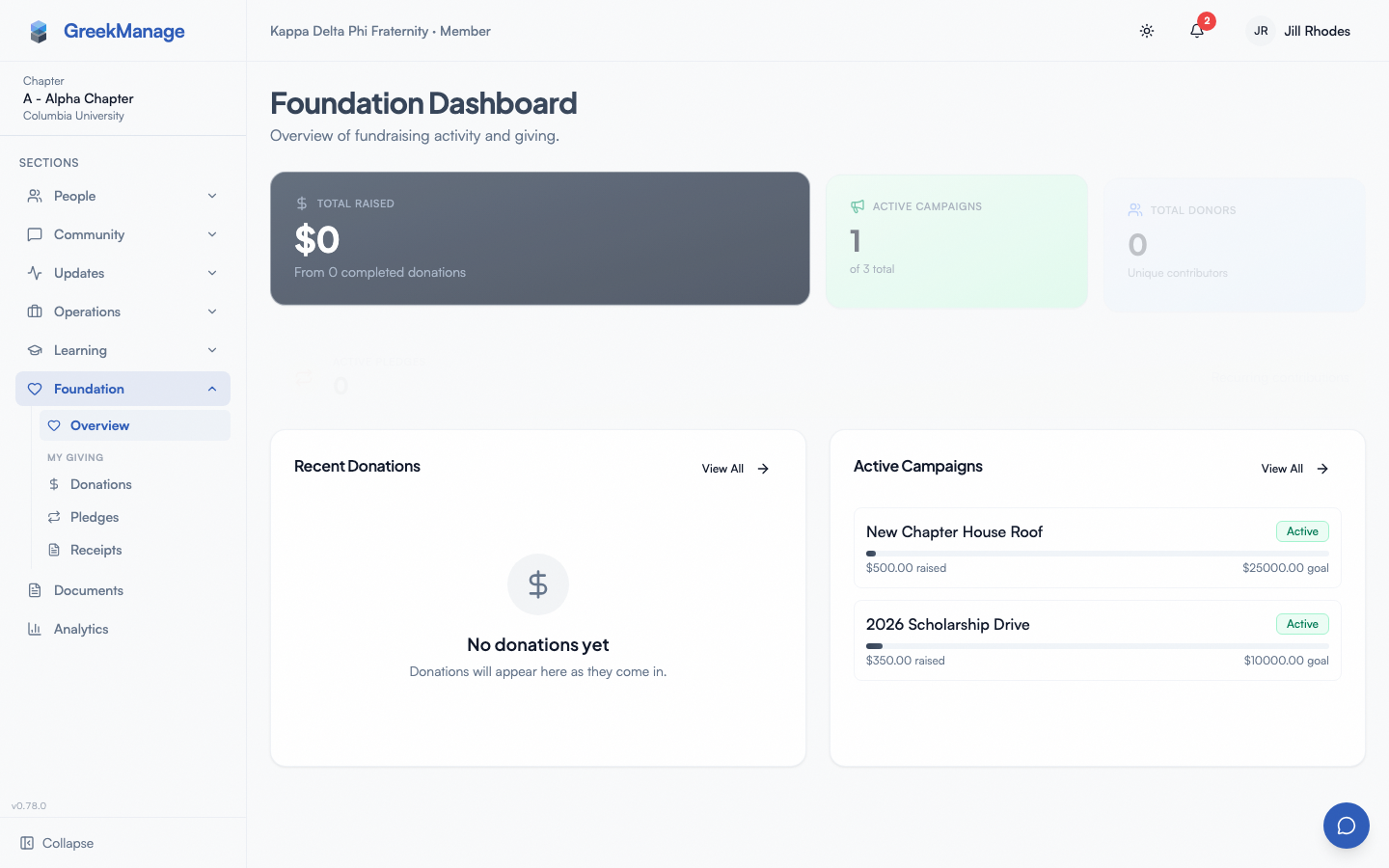 public donate page
Two donation paths
| Path | Who | Where |
|---|---|---|
| Public donate page | Anyone (including members and guests) | A campaign URL, e.g., /donate/<foundationId>/<slug> |
| My Giving (in-app) | Authenticated members of an org with the foundation module enabled | Sidebar My Giving → Donations / Pledges / Receipts |
For a one-off gift to your own foundation, the public donate page still works — your org typically shares the campaign URL via email, a bulletin, or a QR code. For seeing your history, managing recurring pledges, or downloading receipts, the in-app My Giving group in your sidebar is the canonical surface.
Your foundation’s campaigns
Open Foundation → Campaigns in the sidebar (/chapter/foundation/campaigns) to see your foundation’s campaigns. Each card shows its fund, how much it has raised against its goal, and how many donors have given. Click a card to open the campaign’s page.
If you are a Foundation Editor or Foundation Admin, this is also where you create, edit, pause, resume, and close campaigns — see Foundation campaigns.
How a donation works
- Open the campaign page. It shows the campaign description, current raised amount, donor count, and date range.
- Click Donate Now.
- Pick a preset amount (
$25 / $50 / $100 / $250) or type a custom amount. - Fill in your contact info: first name, last name, email, and optionally phone and address.
- Choose options:
- Cover processing fees — adds the processor’s cut on top so the campaign banks your whole gift. The page itemises your gift, the fee you are covering, and the total you’ll be charged before you reach the card form. Note the amount added is slightly more than 2.9% + $0.30 of your gift, because the processor takes its cut from the grossed-up total rather than from the gift: covering the fees on a $100 gift makes the charge $103.30, and the campaign receives the full $100.00.
- Make this a recurring gift — select monthly, quarterly, or annual cadence.
- Make this anonymous — hide your name from public donor lists.
- Enter card details and submit through the foundation’s configured payment processor (Stripe).
- You land on a confirmation screen and the foundation emails you a per-donation receipt.
Member linking
When you donate using an email that matches your member account — either your primary email or a verified secondary email — the system links the donation to your user record automatically. This is what makes the donation appear in your history on the member detail page (visible to foundation admins) and counts you against the foundation’s “member donor” metrics.
If you donate from a different email that isn’t on your account, the donation is recorded against a separate donor profile and won’t link back to your member record. Add the email to your account first if you want the gift attributed.
Your donation history (Donor Portal)
Open the My Giving group in the sidebar — it has three pages:
- My Donations (
/chapter/donations) — every donation you’ve ever made to this foundation. Status tabs (All / Completed / Pending / Failed / Refunded), date range filter, amount + fund + campaign per row. - My Pledges (
/chapter/donations/pledges) — your active and historical recurring pledges. Each row shows cadence, next charge date, lifetime contributed, and a Cancel button on active rows. - My Receipts (
/chapter/donations/receipts) — per-donation receipts and annual receipts, with a Download PDF action on each.
The pages are visible only when the Foundation module is enabled for your org. If you don’t see the My Giving group, your org doesn’t have the module licensed.
Your foundation also still emails you a receipt at completion time and on each recurring charge — the in-app surface is additive, not a replacement.
Donation summary card on your profile
When the foundation module is enabled, your own profile self-view shows a My Donation Summary card with your lifetime total, donation count, first/last gift dates, active pledge count, annual rollups, and your top 5 funds. The card is hidden for members who’ve never given, and only your own profile shows it — admins viewing other members’ profiles see a separate admin summary surface.
Tax receipts
Two flavors:
- Per-donation receipts are emailed automatically after each completed donation.
- Annual receipts are generated in mid-January for the previous tax year and emailed to every donor who gave during that year. The PDF is also stored against the donation record.
If you need a duplicate, contact your foundation admin.
Recurring pledges
If you opt in to a recurring gift at donation time, the foundation creates a subscription against your card via Stripe and re-charges on the cadence you picked. Each charge produces a separate donation record and a per-donation receipt.
Self-service cancel: Open My Giving → My Pledges and click Cancel on any active pledge. Confirmation is required. The cancel takes effect for the next scheduled charge; in-flight charges already in Stripe’s processing queue still complete. Cancelled pledges remain visible in your history with status Cancelled.
Anonymous donations
Checking Make this donation anonymous hides your name from public-facing donor lists and the campaign’s recognition feed. The foundation admin can still see who you are — anonymity is a display-level setting, not a privacy guarantee against the foundation’s own staff.
Member donations vs. external (guest) donations
| Member donation | Guest donation | |
|---|---|---|
| Email on file | Matches a member account | Doesn’t match (or no account exists) |
| Linked to your profile | Yes (automatic) | No (separate donor record) |
| Shows in member detail | Yes | No |
| Counts as “member donor” | Yes | No |
| Receipt | Yes | Yes |
The donation form itself is identical for both; the difference happens at the linking step on the server.
Errors and edge cases
- Payment declined. Stripe surfaces the decline reason. Try a different card or contact your bank.
- Email mismatch but you want the gift attributed. Add the email you donated from as a verified secondary email on your account, then ask your foundation admin to re-link the donation.
- Foundation not configured. If the campaign URL returns a “Foundation not configured” error, the foundation module isn’t enabled for your org yet.
Mobile differences
The public donate page is fully responsive — it works in the mobile browser and inside the native app’s webview if the campaign link is opened from a bulletin. Card entry uses the native autofill from your saved cards. Apple Pay and Google Pay are available to the extent Stripe offers them for your foundation’s configuration.
What foundation admins see that you don’t
- Foundation admins see every donation (yours included), donor profiles, campaign progress, and aggregate reports.
- They can pull a Member Donation History for any chapter member.
- They configure the payment processor, funds, campaigns, and bulletin schedule.
Related
- Your profile — manage the secondary emails that get matched.
- Notifications — opt in to “donation received” confirmations.
- Privacy & your data — how donor records relate to your member record.
Last verified against v0.73.70 (2026-08-24). Donor Portal pages shipped v0.63.19; profile donation summary v0.63.21; public donate page’s Stripe Elements payment collection fixed v0.63.43; recurring pledges could not actually be started (client_secret always came back empty) and self-service cancel always 403’d — the “My Pledges” page you see described above was accurate about the intended UX, not what the backend actually did — both fixed v0.73.70.