Engage forums
Engage is GreekManage's discussion platform — private to your chapter, region, or org. Posts are threaded with comments, support a rich-text editor, file and image attachments, five-emoji reactions, polls, @mentions of other forum members, bookmarked saves, and a moderator-driven reporting workflow.
:::info Module gate Engage is part of the Community module. If you don't see Engage in your sidebar under Community, ask your org admin to enable Community. :::
Where to find Engage
In the sidebar under Community → Engage. The top of the Engage home shows three navigation links — Saved Posts, Browse Catalog, and (if your org allows member-created forums) a Create Forum button.
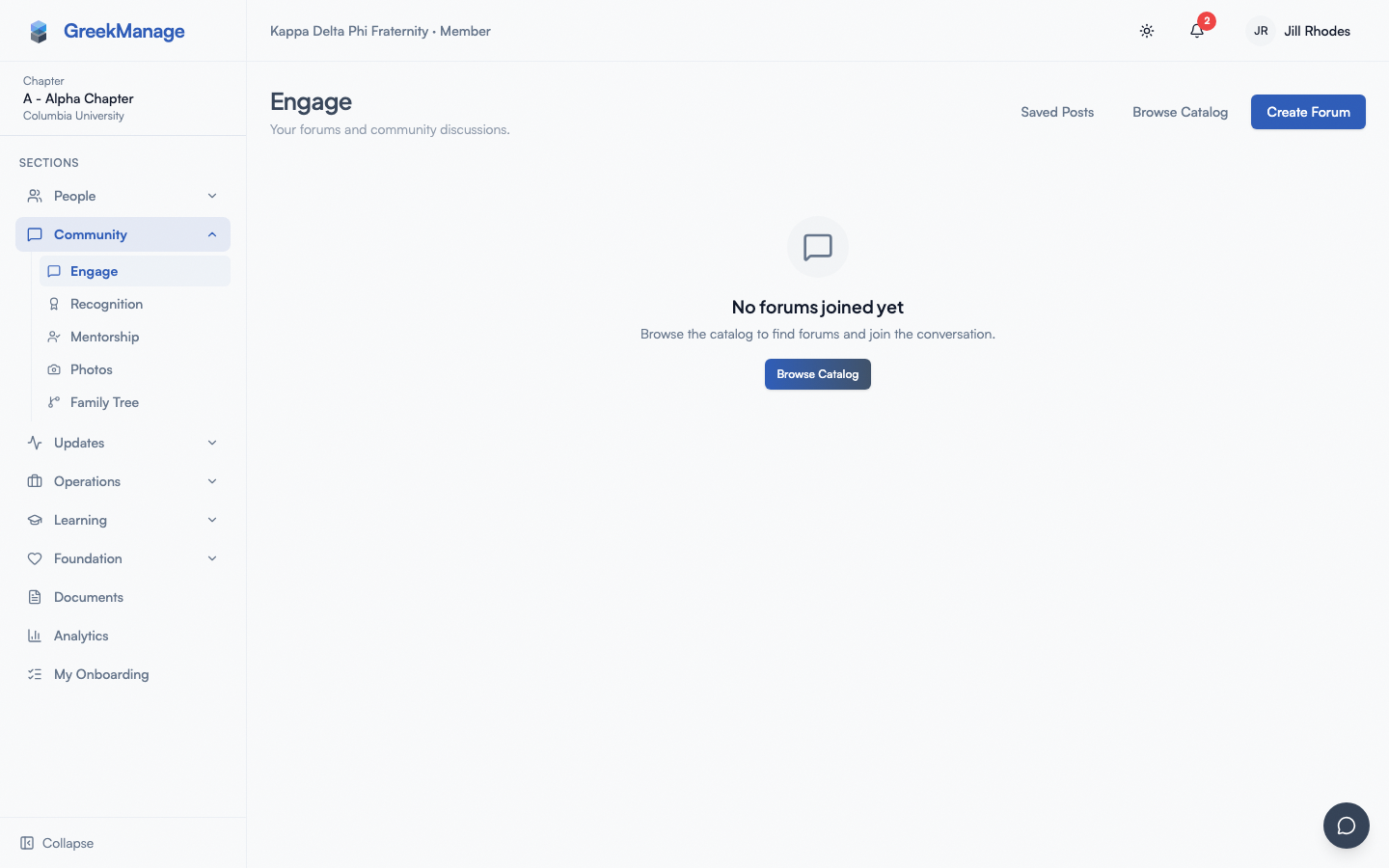 The Engage home with subscribed and discoverable forums.
engage home page showing forum cards in a 3-column grid
The three tabs (My Forums, Catalog, Saved)
There aren't literal tabs — the Engage home shows your subscribed forums by default, with two link buttons at the top to navigate to:
- My Forums (the default Engage home). Forums you've joined.
- Browse Catalog — every forum in your org that you have permission to see, including ones you haven't joined.
- Saved Posts — posts you've bookmarked across all forums.
If you haven't joined any forums yet, My Forums shows an empty state with a "Browse Catalog" call-to-action.
My Forums
A grid of cards (3 across on desktop, 2 on tablet, 1 on phone). Each card shows the forum name, a brief description, member count, a visibility badge (Open in emerald or Invite Only in gray), and a button to open it.
Catalog
The Catalog page lists every forum visible to you, including ones you can join. Click Join on a card to become a member. Open-visibility forums add you immediately; invite-only forums show a request-to-join state that an admin must approve.
Alumni-only forums
Org admins can flag a forum as alumni-only. The behavior:
- Alumni members and officers can read and post.
- Active (undergrad) members can read but cannot post. The new-post button is hidden for actives in alumni-only forums.
The flag is set by org admins in forum settings — it isn't a separate forum type from your perspective.
Saved Posts
Posts you've bookmarked across all forums show up here in reverse-chronological order. Click any row to jump to the post. To unsave, open the post and click the bookmark icon again, or remove from the Saved page directly.
Inside a forum
Click a forum card to enter it. You land on the Discussions tab by default. The forum detail page has up to three tabs:
- Discussions — the post list (everyone with access)
- Members — the directory of who's in this forum
- Moderation — flagged content review (admin/moderator only)
Forum header
Top of the page shows the forum name, a visibility badge, the description, and member count. To the right:
- Subscribe / Unsubscribe button — controls whether you get email or in-app notifications for new posts in this forum.
- Back link to Engage home.
- (Admins only) Edit Forum button and a trash icon to delete the forum.
- (Non-admin members only) Leave button.
Search
A search bar above the discussions filters posts by title, content, or author name. Results update as you type.
Discussion list
A list of posts in reverse-chronological order, with pinned posts on top. Each row shows the title, the author, the comment count, the most recent activity timestamp, and any moderation badge (flagged, pinned, locked).
Posting a new thread
- Open the forum.
- Click New Post (you must be a forum member; if you're not, you see a Join button instead).
- Fill in the title (required, max ~255 characters).
- Write the content in the rich-text editor — bold, italic, lists, headings, blockquotes, code, and links are all supported. Type
@to start an @mention; the autocomplete pulls from the current forum's members. - (Optional) Click the paperclip area to attach files — see "Attachments" below.
- (Optional) Add a poll — see "Polls" below.
- Click Create Post.
If your post needs both attachments and the post itself, GreekManage creates the post first and then uploads each attachment with the post's ID. A poll, if you added one, is created atomically with the post.
Editing your own post
Click the ⋯ menu in the post header. Edit Post swaps the title and content into an editable form. The post is marked edited (small pencil icon) once you save. There's no edit history.
Deleting your own post
Same ⋯ menu, then Delete Post. A confirmation dialog warns that the post and all its comments will be permanently deleted. There's no soft-delete or restore — once deleted, gone.
Replies (comments)
Each post has a Comments section beneath it.
- Scroll to the bottom of the post.
- Type your comment in the Add a comment composer.
- (Optional) Attach files.
- Click Comment.
Replies are flat — you can reply to a comment but the thread doesn't visually nest beyond one level. The comment count at the top of the Comments section updates immediately.
Edit or delete your own comment
Hover (or long-press on mobile) and pick Edit or Delete from the small menu next to your comment.
Locked posts
If a moderator has locked a post (lock icon next to the title), the comment composer is hidden and you see "This post is locked. No new comments can be added."
Reactions
You can react with one of five emoji to any post or comment.
The reaction bar at the bottom of each post/comment shows the reactions already added, with a count. Yours is highlighted with a colored border. Click an existing reaction to toggle your participation; click the + smile-plus icon to pick from the full set:
| Emoji | Name |
|---|---|
| 👍 | thumbs up |
| ❤️ | heart |
| 🔥 | fire |
| 😂 | laugh |
| 😮 | wow |
Reactions are de-duplicated per user, per emoji — you can react with multiple different emoji to the same post, but only one of each.
@mentions
Type @ in the post or comment editor. A dropdown shows up to ~10 members from the current forum matching what you type. Pick one with arrow keys + Enter, or click. The mention renders as @First Last and is a link to that member's profile.
Mentioned users get an in-app notification ("[Your Name] mentioned you in [Forum] / [Post Title]"), and an email if their notification preferences allow it.
You can only mention members of the current forum — typing @ in one forum won't suggest members from another forum even if both of you have access elsewhere.
Polls
Add a poll to a new post — there's no add-poll-to-existing-post button.
- In the new-post composer, click Add Poll.
- Write the question.
- Add 2 or more choices.
- Toggle Allow multiple choice if voters can pick more than one.
- Set the close date (optional — leave blank for an indefinite poll).
- Click Create Post.
Voting on a poll
When you open a post that has a poll:
- If you haven't voted yet and the poll isn't closed, choices show as clickable radio buttons (or checkboxes for multi-select). Click your pick(s), then Vote.
- After voting, results show with a percentage bar behind each choice and your selection highlighted.
- After a poll closes (by date or manually), results show regardless of whether you voted. Closed polls are read-only.
You cannot change your vote after submitting.
Attachments
The paperclip / attach button accepts files via click-or-drag-and-drop. Allowed types and size limits:
| Type | Max size | Examples |
|---|---|---|
| Images | 10 MB | JPEG, PNG, GIF, WebP |
| Documents | 25 MB | PDF, DOCX, XLSX, PPTX |
A queue of selected files renders below the picker with file name, size, and a remove (×) button. Image attachments render as thumbnails in the post; document attachments render as named file links with a download button.
Errors
- "<filename> has an unsupported file type." Not on the allow-list. Convert it (e.g. ZIP → upload contents separately).
- "<filename> exceeds the 10 MB limit." Compress or split the file.
Attachments are scoped per post or per comment — you delete them by deleting the post/comment, or by clicking the trash icon on the attachment chip (post author or admin only).
Save / bookmark
Every post has a bookmark icon in its header. Click to save; click again to unsave.
Saved posts:
- Appear in Engage → Saved Posts in reverse-save-order.
- Are personal to you — saving doesn't notify anyone.
- Survive forum membership changes — if you save a post and later leave the forum, the saved entry still exists but opening it returns "Access denied" until you rejoin (if open) or are re-added.
Report a post or comment
Each post and comment has a small Report option. Click it to flag the content. Optionally add a reason. Reports go to the forum's moderators and admins for review in the Moderation tab.
When a post or comment is flagged:
- Members see a small "Flagged" indicator in the header (you might still see the content if no moderator has hidden it).
- Moderators can dismiss the report, hide the content, or remove it.
You don't get notified about the outcome of a report.
Subscribe and notification preferences
Each forum has a Subscribe button. When subscribed, you get a notification (in-app, and email if you've enabled it in Notification preferences) for every new post in that forum.
Comments on posts you've authored or commented on always notify you regardless of subscription state — the subscribe button only controls new top-level posts.
→ See Notifications for the full preference matrix.
What officers and admins see that you don't
- Forum admins (the creator and anyone they've promoted) can edit forum name/description/visibility, delete the forum, pin or lock posts, run the moderation queue, and add or remove members.
- Forum moderators can pin, lock, and run the moderation queue but can't edit forum metadata or remove other admins.
- Org admins can override forum admins to delete posts in any forum (for example, to handle harassment cases above the head of the forum's own admin).
- Pin / Lock are admin-only actions: pinning floats a post to the top of the discussion list; locking prevents new comments without deleting the existing thread.
Regular members don't see the Moderation tab and don't see the Pin/Lock options on the post's ⋯ menu — those entries are simply absent.
Mobile differences
- The forum detail page renders the same on mobile but the discussion list and comments stack into a single column with no side rail.
- Long-press on a post or comment to reveal the reaction picker and the ⋯ menu (versus hover on desktop).
- The rich-text editor exposes a compact toolbar — some advanced options (e.g. heading levels) hide behind a "more" menu.
- Attachment upload uses the native file picker which includes "take a photo" on phones.
Errors and edge cases
| Situation | What happens |
|---|---|
| You try to post in an alumni-only forum as an active | The New Post button is hidden; the API rejects manually-crafted requests |
| Forum was deleted while you were viewing it | "Forum not found. This forum may have been deleted or you do not have access." |
| Post was deleted while you were viewing it | "Post not found." Navigate back to the forum. |
| Attachment upload fails mid-batch | Successful files are kept on the post; failed ones remain in the picker for retry |
| You vote on a poll right as it closes | Vote may succeed or be rejected with "Poll is closed" — refresh to see the final state |
| You delete a forum as an admin | All posts, comments, attachments, and polls are deleted permanently (no soft-delete) |
Troubleshooting
- My new post didn't appear. Refresh the discussion list. If still missing, an org admin may have removed it (look at your notifications for a moderation message).
- @mention didn't notify the person. They may have notifications turned off for forum mentions, or they may not be a member of that forum.
- I can't react. You must be a member of the forum to react. Posts in catalog-only forums are read-only until you join.
- Edit button is gone. Editing is only available to the post author. Comments by other authors can only be moderated by forum admins, who delete rather than edit them.
- Search returns nothing. The search matches against title, content (text only — HTML stripped), and author name. Try fewer keywords.
Tips
- Use threads for discussion, comments for back-and-forth. A new post starts a new topic; comments belong inside an existing topic.
- @mention sparingly. Every @mention is a notification.
- Save important posts. The Saved tab is your personal index — useful for chapter handbooks, recurring deadlines, or onboarding posts you'll re-read.
- Pin onboarding posts (if you're an admin). New members see pinned posts at the top of every visit.
Related
- Notifications — fine-tune Engage alerts
- Bulletins & moderation — what officers can do
- Module: Community
Last verified against v0.62.1 (2026-05-11).