Messages
Messages are GreekManage's built-in direct and group chat — for quick coordination that doesn't belong in a public forum thread. Conversations live inside a single organization; you can't message someone from another fraternity or sorority.
What you see
In your sidebar: Messages.
On desktop you'll see a two-pane layout — a conversation list on the left and the active conversation on the right. On mobile screens the list and thread share the same view: tapping a conversation opens the thread full-screen, and a back arrow returns you to the list.
The list shows every direct message, group chat, and auto-created chat you're a member of, newest activity first. An unread badge appears beside any conversation with new messages. The search bar above the list filters conversations by name or by member name.
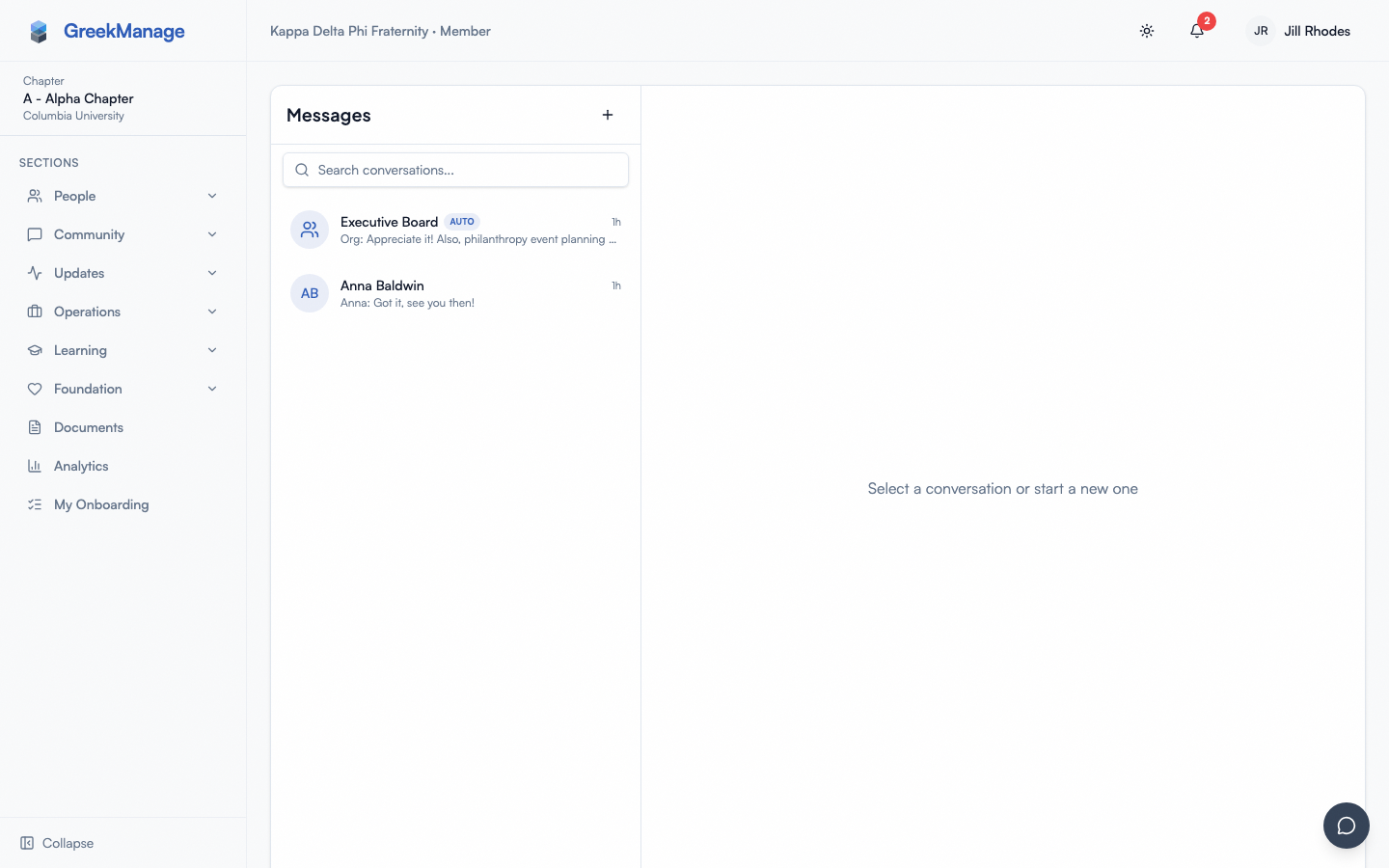 Inbox showing direct messages and group chats with last preview.
Step-by-step: start a new conversation
- Click New message at the top of the conversation list.
- Search for the people you want to message. Pick one person for a direct message, two or more for a group.
- For groups, optionally add a name. (DMs don't have a name — they're labeled with the other person's name.)
- Type your first message in the composer.
- Press Send.
If you try to start a DM with someone you already have a one-on-one DM with, the platform opens the existing conversation instead of creating a duplicate.
Send messages
Type in the composer at the bottom of the thread and press Enter to send. Shift+Enter inserts a line break.
Use the paperclip icon to attach a file. Org admins set the maximum attachment size in megabytes — most orgs keep this at 10 MB. Allowed file types follow the org's configured list (empty means common image, PDF, and Office document types are accepted).
Reply to a specific message
Hover (or long-press on mobile) on any message and pick the reply arrow. Your next message will quote the target message in a small preview block so the conversation thread stays readable.
React with an emoji
Hover or long-press a message and pick a quick reaction — thumbs up, heart, laugh, fire, clap, or eyes. Each user can react with each emoji once; tapping a reaction you've already added removes it. Reaction counts appear in a small pill below the message.
The quick set is fixed in v0.62.1 — there is no free-form emoji picker.
Read indicators
When you open a conversation and view its messages, GreekManage records that you've read them so the sender's unread count and badge stay accurate. There's no per-conversation toggle to disable read tracking.
Typing indicator
When the other person is typing, you'll see a small animated dots indicator above the composer. The indicator clears after about three seconds of inactivity.
Edit or delete your own messages
Hover (or long-press on mobile) on a message you sent and the message's actions menu shows two extra options:
- Edit — opens an inline textarea pre-filled with the current content. Save to update. The message renders with an
(edited)label and the new timestamp; participants see the change next time their conversation refreshes. - Delete — opens an
AlertDialogconfirm. On confirm, the message is soft-deleted: it's replaced inline with "This message was deleted" for all participants, and the underlying content is no longer retrievable.
You can only edit / delete messages you sent. System messages (e.g., "Aman added Sara to the group") have no edit / delete affordance — they're produced by the platform, not by a user.
There's no time limit on edit-after-send today, but participants who already saw the message will see your edit attributed.
Mute a conversation
Each conversation header shows a bell icon next to the title. Click it to toggle:
- Bell (on) — you receive in-app and push notifications for new messages in this conversation.
- Bell-off (muted) — no notifications for new messages in this conversation. Messages still arrive in the conversation; you just won't be alerted.
Mute is per-conversation and per-member, scoped to your own membership row. Other members are unaffected. The mute setting is durable — it persists across sessions and devices.
The bell only renders when you're an active member of the conversation; system / auto-created chats expose it the same way.
Real-time updates
Messages, reactions, and typing indicators stream over a WebSocket while you have the app open. If you lose connection, the widget reconnects automatically when the network returns and the conversation refreshes.
Auto-created chats
Your org admin can configure GreekManage to automatically create group chats for organizational units:
- Each pledge class
- The executive board
- Each chapter
- Each region
When the org admin enables one of those toggles, you're added to the relevant auto-created chats based on your active memberships and role.
What officers see that you don't
Group chats have an internal admin role separate from your org or chapter role. The member who creates a group is its conversation admin by default and can:
- Rename the group.
- Add or remove members.
In a DM, both participants act as admins so either side can leave. National admins of the organization can manage any conversation regardless of who created it.
Mobile differences
- The conversation list and thread share the same screen — tapping a conversation hides the list; a back arrow returns to it.
- The composer sits above the iOS / Android keyboard with safe-area padding so messages stay visible while typing.
- Attaching a file uses your device's native file or photo picker.
Errors and edge cases
- "Cannot create DM with yourself" — the new-message picker requires a different person for a DM.
- "You are not a member of this conversation" — appears if you were removed from a group between opening the chat and trying to send. Return to the list.
- Attachment rejected — your file exceeded the org's size limit or its type isn't in the allowed list. Try compressing the file or saving in a supported format.
- Editing or deleting someone else's message is not allowed. You can only edit/delete your own — see below.
Tips
- Use forums for chapter-wide announcements, not Messages — Messages should stay conversational.
- Don't send sensitive personal data (SSNs, payment cards) in messages. Use the secure channels your org provides.
Related
- Engage forums — chapter-wide discussion
- Notifications
- Module: Messaging
Last verified against v0.63.49 (2026-07-01). Edit/delete own messages + per-conversation mute shipped v0.63.22; realtime delivery over the REST send path (open conversations update live) fixed v0.63.49.