Module enablement
GreekManage has a set of optional modules layered on top of the always-on core (chapters, regions, members, settings, service desk). Each optional module can be turned on or off per organization. Enabling a module exposes its sidebar entries, settings panels, routes, and API endpoints; disabling hides everything related to it (data is preserved).
The module set
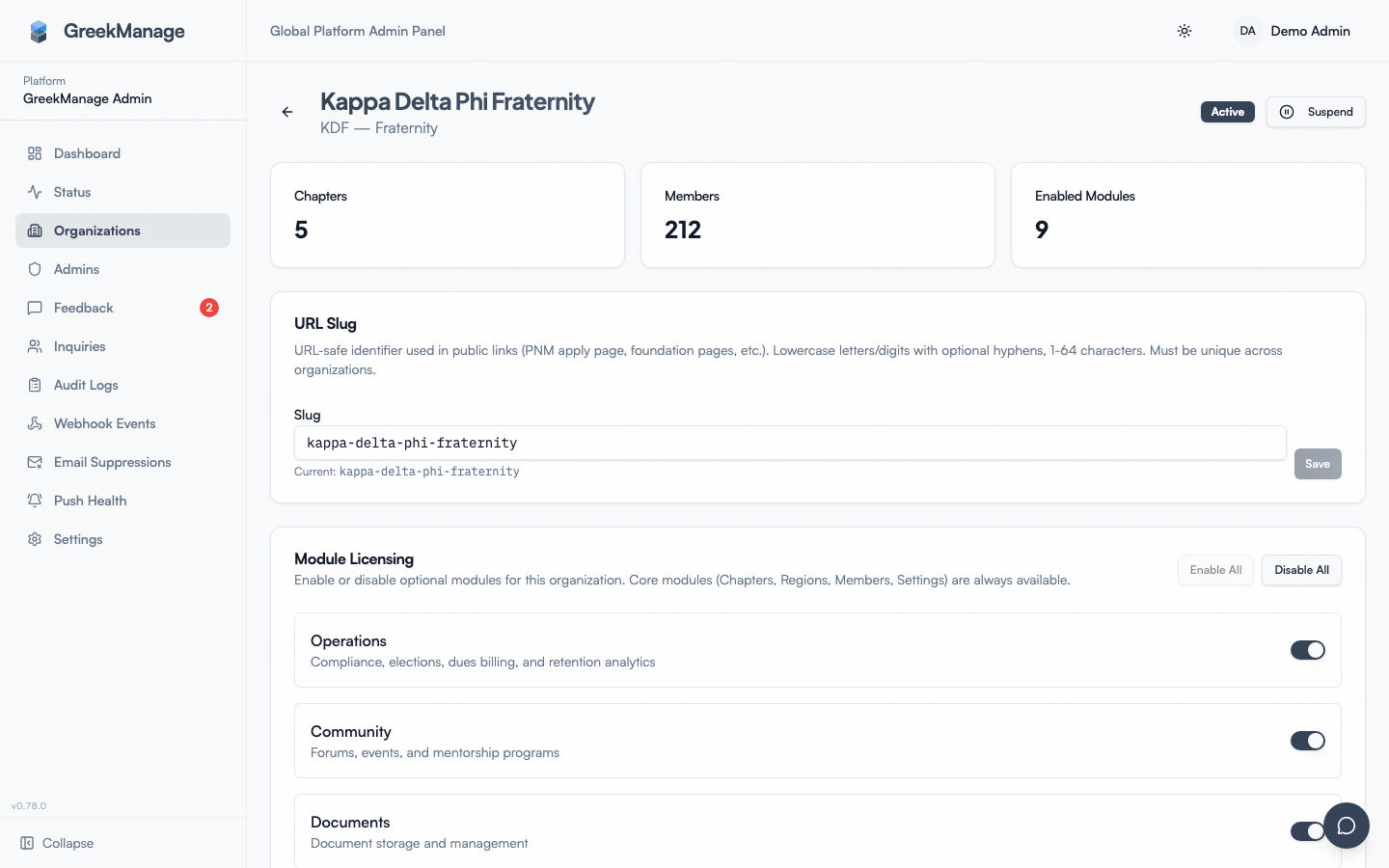 Platform organization detail with the module licensing toggles.
There are ten optional modules in OrganizationModule.ModuleChoices:
| Module key | Label | What it adds |
|---|---|---|
operations | Operations | Compliance, elections, dues / billing, retention, service hours, PNM recruitment |
community | Community | Forums, events, mentorship, albums, recognition |
documents | Documents | Document library |
learning | Learning | Course authoring, quizzes, certificates, assignment rules |
foundation | Foundation | Campaigns, donations, donors, tax receipts |
alumni | Alumni | Alumni directory, career board, mentor profiles |
messaging | Messaging | Direct and group messaging |
ai_services | AI Services | Chatbot, embeddings, AI-powered features |
data_export | Data Export | Per-org JSON exports |
integrations | Integrations | Slack and Discord posting — see Slack & Discord integrations |
Core modules — chapters, regions, members, settings, service_desk — are always enabled and not represented by an OrganizationModule row. The Service Desk is core so that every member always has a route to your headquarters.
How enforcement works
Toggling a module turns it on or off for the whole org. It is enforced everywhere, not just hidden:
- In the app — the module’s sidebar items disappear, and its pages refuse to open.
- On the server — requests to the module’s features are refused, even from a bookmarked link or an old browser tab.
- In the background — the module’s scheduled work (reminders, digests, syncs) stops running for your org.
Disabling is non-destructive: stored content (forum posts, learning enrollments, donations, etc.) is preserved. Re-enabling restores access.
Note on the platform admin UI
The platform org-detail page exposes toggles for all ten optional modules — operations, community, documents, ai_services, data_export, learning, foundation, alumni, messaging and integrations — plus Enable All / Disable All. Core modules (Chapters, Regions, Members, Settings, Service Desk) are always on and are not listed.
Alumni and Messaging used to be absent from this screen and had to be set at platform onboarding; they are ordinary toggles now.
Pricing
Some modules have subscription cost implications. Confirm with your account team before requesting an enablement change.
Tips
- Don’t enable everything on day one. Start with what you’ll use; add modules as needs surface.
- Communicate before disabling. “Engage will be turned off next week” gets less pushback than “Engage just disappeared.”
- Verify the change after a toggle. Refresh the page and check that sidebar entries appear or disappear as expected.
Related
Last verified against v0.62.1 (2026-05-10).