Fraternal name check tool
Fraternal names (sometimes called "line names" or "org member names") are the unique within-org identifiers brothers and sisters carry through their time in the org. Keeping them unique across all chapters and across all generations is a long-standing tradition for many fraternities and sororities — and a fiddly thing to enforce manually once your org reaches a few hundred members.
The Name Check tool is the platform's purpose-built similarity engine for this. It compares a proposed name against every active and alumni name across your org and reports whether the proposed name is available, near-collisions to be aware of, and an explanation of why each near-collision matched.
Where it's surfaced
The tool lives on the org-wide Members page. Open Members in your sidebar, then click the Name Check button at the top of the page. A modal opens with a search input and a results area.
There is no Name Check entry on the chapter detail page, no Settings panel for it, and no admin-only configuration page. The Members page is the one place it surfaces.
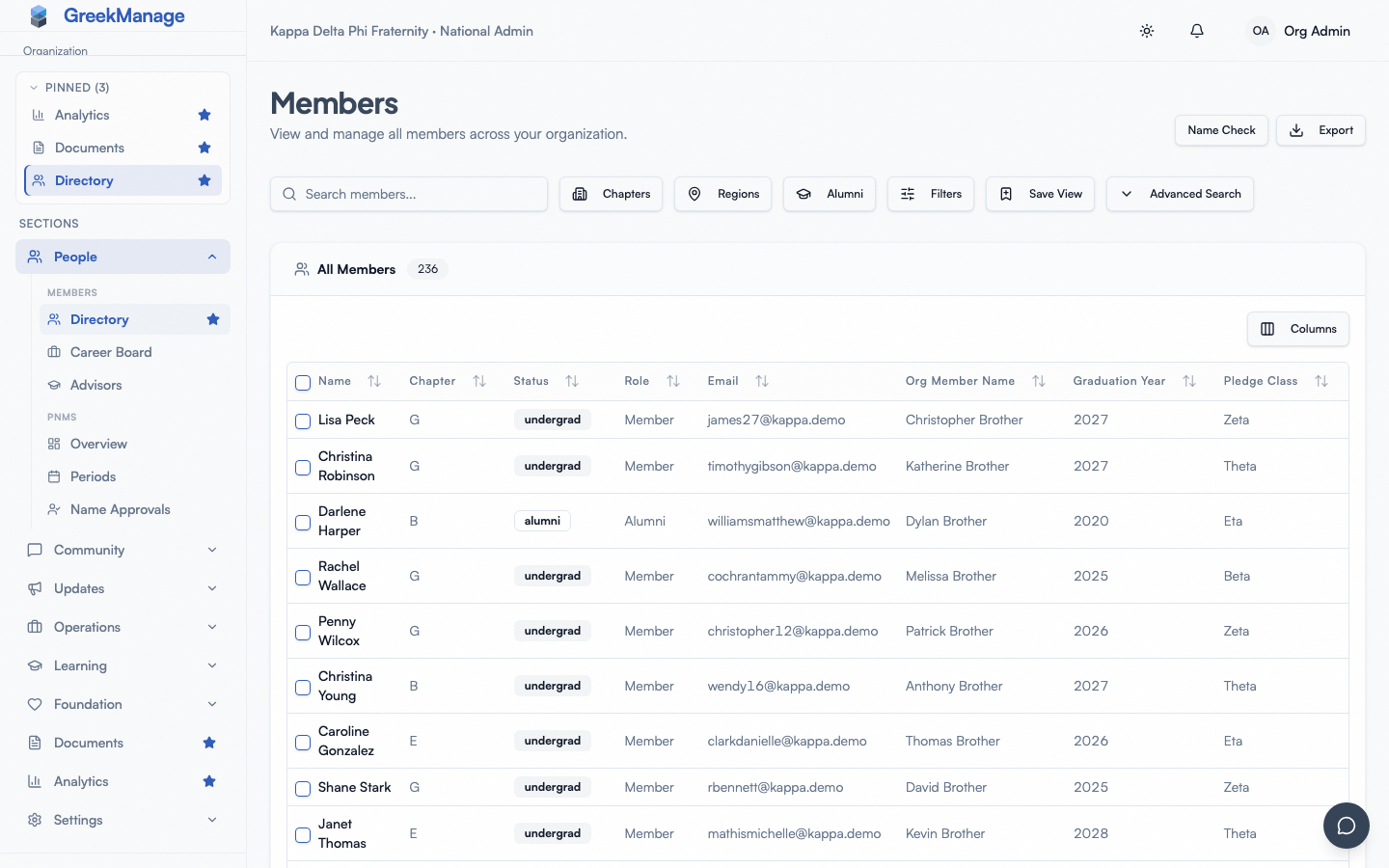 Name Check dialog open over the Members list with a name typed in and an availability badge.
What you see
The Name Check modal is built around a single search input. Type a proposed fraternal name and the results render below after a short debounce (about 300ms). For very short queries the modal asks for at least two characters.
The results area shows:
- Availability badge — a green Available pill or a red Unavailable pill, plus the total names checked count
- Exact match banner — if the proposed name is taken exactly, a red banner naming the holder and their chapter
- Similar Names table — rows for every near-collision with columns: Org Member Name, Member, Chapter, Match Type, and Score (0-100%)
If there are no exact matches and no near-collisions, the result is the green availability state plus an empty "No similar names found" line.
Name Check results with a green Available badge, an exact-match banner suppressed, and a table of near-collisions with colored match-type...
The five similarity signals
The engine evaluates each proposed name against every existing fraternal name on five separate signals. Each signal is independent — a name can match on phonetics without matching on edit distance, or vice versa. The combined output is a composite score plus a reason badge for the strongest signal.
The signals are:
- Phonetic. Conservative phonetic comparison using multiple algorithms (Metaphone, Soundex, NYSIIS, and a match-rating comparator). At least two of the four algorithms must agree, and the underlying string similarity must clear 60%. This filters out the common "Soundex says these are the same but they're totally different words" false positives.
- Leetspeak normalization. The engine strips leetspeak substitutions before comparing — L3gend → legend, 5l4y3r → slayer. If two names match after this normalization, they're flagged as a leetspeak collision. This catches the most obvious "I'll just swap a letter for a number" attempts to claim a similar name. Every substitution token requires a digit or symbol (as of v0.65.52) — plain-letter respellings like Philip vs. Filip are no longer force-collapsed to the same normalized form; a pair like that can still surface as a fuzzy/edit-distance match if they're close enough, just not as a leetspeak one.
- Edit distance (fuzzy). A length-aware Levenshtein-style fuzzy match using the
rapidfuzzalgorithm with a length penalty. Catches typos, single-letter swaps, doubled-letter variations. Scored 0-1 and weighted heavily in the composite. - Substring. If the proposed name is fully contained inside an existing name (or vice versa), with at least 60% coverage of the shorter against the longer, it's flagged as a substring collision. Lex inside Lexicon is a substring match.
- Normalized equality. After leetspeak stripping, accent removal, and lowercasing, the two names are byte-equivalent. This is the strongest signal — typically it implies a deliberate attempt to claim a name that's already taken.
Each match in the result table includes a colored badge naming which signal produced the strongest hit:
- Phonetic (blue)
- Leetspeak (purple)
- Edit Distance / Fuzzy (amber / orange)
- Substring (teal)
The badge tells you why the engine considered the name a collision. If you disagree with a flag — say, the proposed name and the flagged collision sound similar but are deliberately distinct in your org's tradition — you can still approve the proposed name; the tool advises, it does not block.
How the composite score works
The 0-100% score on each near-collision is a weighted combination of the five signals:
- String similarity weighted 45%
- Substring coverage weighted 15%
- Phonetic match weighted 25%
- Normalized equality weighted 15%
A composite score above the threshold causes the row to be flagged. The default threshold is 0.85 (85%). Per-org threshold is now configurable (v0.63.36) — Organization.name_check_threshold FloatField, default 0.85. Set it in Settings → Name Check (migration 0058_org_name_check_threshold). Explicit ?threshold= query param on a request still wins for ad-hoc overrides.
The total names checked count under the availability badge tells you how broad the comparison was. The number includes every member's org_member_name across the entire org, excluding members in Disaffiliated or Inactive status. Alumni names are included by design — fraternal names are generally expected to be unique across all generations.
Use cases
This tool was built to support the name-uniqueness traditions many fraternities and sororities maintain. The three most common moments to use it:
- A new member's name is being proposed. Before a chapter officer commits to a proposed name in the new-member education process or "crossing" ceremony, run the name through the checker to confirm it's not a collision with anyone living, deceased, or alumni in your org. Surface the result to the candidate so they can adjust.
- Member directory cleanup. When auditing the directory for duplicates — say, after a bulk import — use the tool to spot near-matches that may indicate two records for the same person, or unintentional collisions that slipped through.
- General name availability check. When a member asks "is X taken?" the tool gives a fast, evidence-backed answer.
PNM name-assignment integration (v0.63.36+)
The same engine is now reachable from the PNM name assignments approval flow via GET /api/pnm-name-assignments/<id>/name-check/. The admin UI polls this on hover/expand of a PNM assignment row, so reviewers see exact + similar matches against the org's saved threshold before clicking approve.
Big-Little proposal collision detection still requires running Name Check manually from the Members page — that integration isn't auto-wired yet.
Step-by-step
- Open Members in your sidebar.
- Click Name Check at the top of the page.
- Type the proposed fraternal name in the search input.
- Wait briefly for the results — the engine debounces typing, so the results refresh as you finish typing.
- Read the availability badge.
- If there are near-collisions, look at the Match Type column to understand what kind of collision each flagged name is. Use that to decide whether to approve or rework the proposed name.
- Close the modal when done. Nothing is saved — Name Check is purely a lookup.
What officers and members see
Officers and regular members see the exact same modal with the exact same results. The tool is a read-only lookup with no admin-specific affordances. Both tiers can use it freely to support their own workflows — officers when running a new-member education ceremony, members when proposing a name for themselves.
The only role-based difference is that the tool is reachable from any role's Members page; the page itself is differently scoped (org-wide for admins, region-wide for regional admins, chapter-wide for officers and members). The Name Check always runs org-wide regardless of who opens it, so the results reflect the full org-level uniqueness picture.
Mobile differences
The Name Check modal is responsive. On phones the modal renders full-screen. The results table collapses to hide the Member and Chapter columns on the smallest screens — the Org Member Name, Match Type, and Score columns stay visible to support quick decisions on the go. Typing latency is identical to desktop; the debounce is the same.
Errors and edge cases
- Names with non-Latin characters return no collisions but you expect some. The engine normalizes accents (NFKD strip), so Léo becomes Leo internally. Non-Latin scripts (Cyrillic, Greek letters used decoratively, etc.) may behave less predictably — the platform's primary normalization target is Latin script.
- A leetspeak match looks wrong. The leetspeak table is broad and aggressive on purpose for digit/symbol substitutions — 5h4d0w and Shadow will hit even if your org isn't trying to enforce that distinction. It no longer respells plain letters (prior to v0.65.52, Phoenix and Foenix were force-matched via a
ph→fsubstitution; that's fixed). Use the match type badge as guidance; the score is the better signal of true similarity. - The tool did nothing when you searched — no loading state, no results, nothing. This was a bug (fixed in v0.65.52): if the app couldn't resolve your organization context, the search silently never ran. It now shows an explicit error message instead. If you still see this, refresh the page; if it persists, your account may be missing an active role assignment for this org.
- The score on a near-collision is over the threshold but you don't see why. Hover the score for a moment, or check the Match Type badge — that's the strongest of the five signals. The remaining signals may have contributed smaller amounts to the composite even if no single one was strong on its own.
- No results when you expect some. Make sure the query is at least two characters and that you've waited for the debounce to finish. If the name should match but doesn't, the live name being compared may be in a status the engine excludes (Disaffiliated or Inactive members are not compared).
- The total names checked count seems low. The count excludes members in Disaffiliated or Inactive status and only counts records that have a non-empty
org_member_name. Many older membership records may have an empty fraternal name and not contribute.
Troubleshooting
- Name Check returns Available for a name you know is taken. Confirm the existing member's
org_member_namefield is populated. If they're in the directory under their legal name only, the Name Check tool won't see them. Edit their profile to add the fraternal name explicitly. - A common name flags as Substring against every other member with that name. That's the engine working as designed — three-letter or four-letter substrings will frequently match. Use the match type and your org tradition to decide.
- You want to change the similarity threshold. Open Settings → Name Check and adjust
name_check_threshold(v0.63.36). The new value applies to every check across the org; an explicit?threshold=on a request still overrides for one-off checks. - Repeated queries are slow. Each query walks every member of the org with a fraternal name. For very large orgs this can take a second or two on the first query and is fast on repeats. The tool isn't intended for high-volume programmatic use — it's a human lookup.
Related
- Member detail (admin view) — where the
org_member_namefield is set per member - Chapter detail (admin view) — where membership status (which determines inclusion in the Name Check) is managed
- Custom fields — if your org tracks additional name-style fields beyond
org_member_name - Permissions matrix — full role and capability matrix including Name Check access
Last verified against v0.65.52 (2026-07-18). Per-org threshold + PNM name-assignment integration shipped v0.63.36; threshold input surfaced in General Settings v0.65.5. v0.65.52 fixed a silent-failure bug (search did nothing when org context was unresolved) and removed several leetspeak tokens that were force-collapsing distinct plain-letter spellings.