Foundation admin assignment
The Foundation module — donations, campaigns, donors, recurring pledges, tax receipts, bulletins — is gated by its own role layer separate from org-level admin permissions. As the platform admin you can assign foundation admins for any tenant, which is occasionally useful during onboarding, after a leadership transition, or when the org's national admin needs a backup.
When you'd use this
In normal operation, an org's national admin manages their foundation admins themselves from Org → Foundation → Admins. You step in from the platform side when:
- First-time foundation setup. The org just enabled the Foundation module and needs its initial admin assigned before they can use the module at all. (Org admins can also do this, but platform admins often run the onboarding call.)
- Leadership transition with no surviving admin. The previous foundation admin is gone and no other foundation admin exists. The org national admin can promote someone, but they may ask you to do it during a handoff.
- Auditing assignments across tenants. You want to see every foundation admin across every org for a compliance review.
- Revoking a compromised account. A foundation admin's user account was compromised; you want to deactivate the foundation role immediately, separately from any account-level action.
The two roles
The Foundation module has exactly two role tiers:
- Foundation Admin — full read/write access to the foundation. Can manage funds, campaigns, donors, donations, recurring pledges, bulletins, receipts, and admin assignments. Can run the Stripe processor config.
- Foundation Editor — read access plus content authoring. Can create and edit campaigns and bulletins, view donor and donation records, and run reports. Cannot manage processor credentials, cannot edit foundation config, cannot grant or revoke other foundation roles.
Both roles are scoped to one foundation (one organization). A user with foundation-admin in Org A has no privileges in Org B.
Open per-org foundation admins
Platform → Organizations, pick the tenant, then Foundation Admins in the per-org navigation.
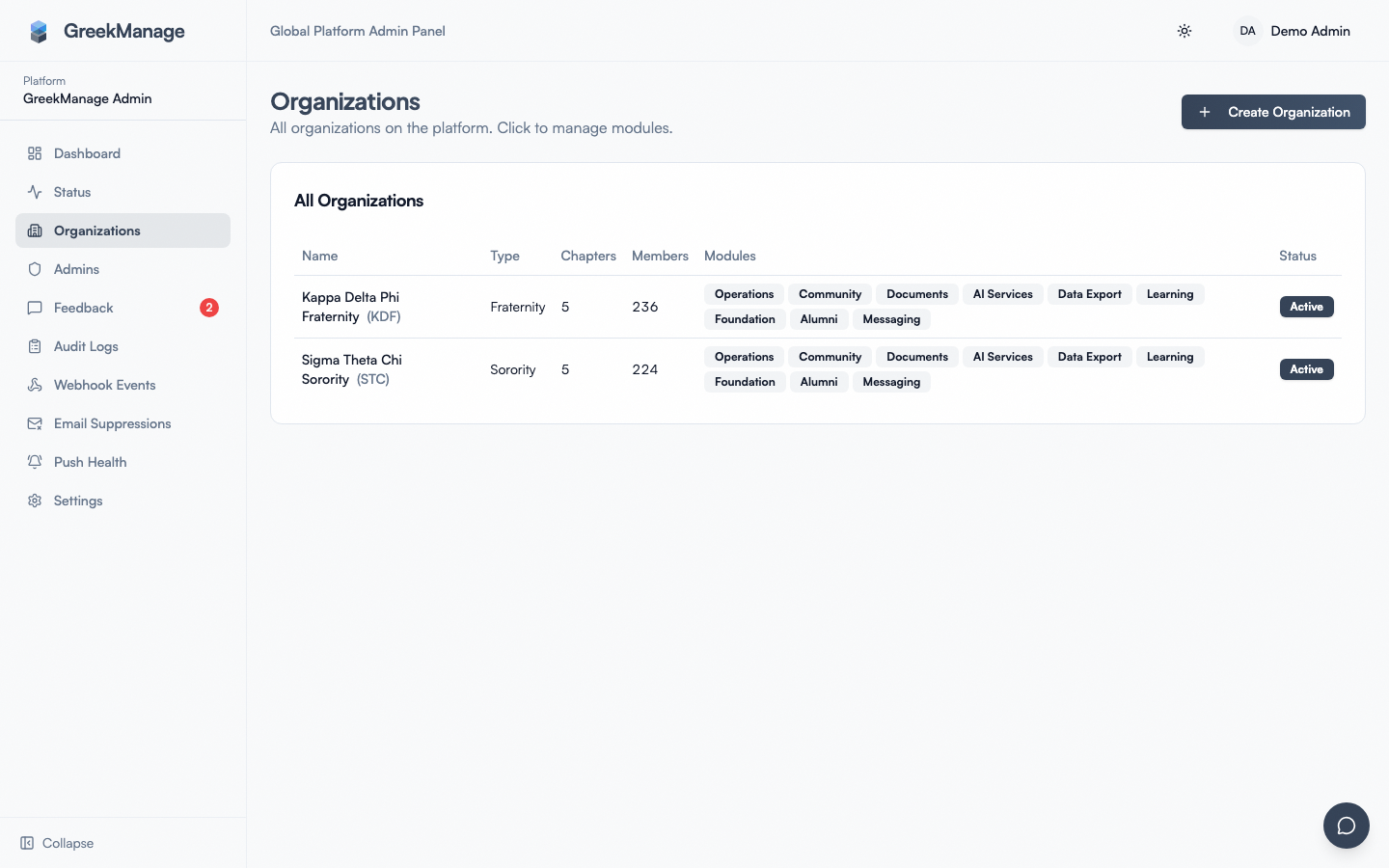 Platform per-org Foundation Admins list with role badges.
You'll see one row per assignment with:
- User (name, email)
- Role (
Foundation AdminorFoundation Editor) - Active flag (false = previously assigned, now revoked)
- Created at (when the role was first granted)
Adding a foundation admin
- Click Add foundation admin.
- Pick the user. The picker accepts a user ID; in practice, look up the user in Platform → Users, copy their ID, and paste it. The user must already exist as a User record — there's no provisioning step from this form.
- Pick the role — Admin or Editor.
- Click Save.
A few details worth knowing:
- The FoundationConfig is auto-created if needed. If this is the first foundation admin for an org that doesn't yet have a FoundationConfig row, the platform creates one named
"<Org Name> Foundation"automatically. The org's national admin can rename it afterwards from the Foundation settings page. - Re-assigning is idempotent. If the user already has a (possibly deactivated) role on this foundation, the save reactivates them at the new role rather than creating a duplicate.
- The user is notified by email only if your platform email notifications are wired up to fire on role changes. Don't assume the user knows — communicate out of band.
Revoking a foundation admin
- Find the row in the list.
- Click Remove.
The role is deactivated, not deleted: the database row is preserved with is_active=false so the historical assignment is recoverable from the audit log. The user immediately loses access to the foundation on their next request.
To re-grant, run the add flow above — it will reactivate the existing row rather than create a new one.
What this does NOT do
- It does not affect org-level admin roles. A foundation admin who is also a national admin still has national-admin privileges after you revoke their foundation role.
- It does not touch Stripe. Revoking foundation-admin does not revoke the foundation's Stripe credentials, and assigning foundation-admin does not grant the user any Stripe-side access — that's a separate IAM operation in the Stripe dashboard.
- It does not send an automatic email to the affected user in v0.62.1. If you want them notified, send the email yourself.
- It does not change who appears on tax receipts. Receipts are signed by the foundation entity (FoundationConfig fields like
legal_name,ein), not by the current admin.
Auto-creation of FoundationConfig
A subtle but useful detail: when you assign the first foundation admin for an org that has the Foundation module enabled but no FoundationConfig row, the platform creates the config automatically. You don't need to walk through a separate "create foundation" wizard — assigning the admin bootstraps the foundation in one step.
The defaults the platform fills in:
name:"<Org Name> Foundation"legal_name,ein,mailing_address,contact_email,logo_url: blanktax_deductible: trueis_active: true
The org's national or foundation admin should fill in the blanks before they collect any real donations — particularly legal_name, ein, and mailing_address, which all land on generated tax receipts.
Audit trail
Every foundation-admin add and remove writes an audit log entry. To review:
- Open Platform → Audit logs.
- Filter
Resource TypeforFoundationAdmin. - Optionally narrow by date range.
You'll see actor (who pressed the button), action (CREATE, UPDATE, DELETE), and metadata including the affected user and role. Pair this with the audit log on FoundationConfig to reconstruct the foundation lifecycle.
Best practices
- Always have at least two foundation admins per org. Single-admin foundations are one absent person away from blocked Stripe configuration changes and frozen receipt customization.
- Use Editor for content-only collaborators. Communications staff who maintain bulletins and campaign copy don't need to see donor payment details — Editor is the right tier.
- Audit foundation admin lists quarterly. Especially during officer transitions; assignments accidentally accumulate.
- Don't promote yourself as a permanent foundation admin on a tenant. Use the role for the duration of an onboarding or incident, then revoke. Platform admin already has read access to everything; making yourself a per-tenant foundation admin permanently muddies audit attribution.
- Coordinate with the org's national admin before changes. This page is the escape hatch, not the front door. They usually want to know who's getting added or removed before you do it.
What's NOT in the box
- No per-org permission custom roles. Admin and Editor are the only two tiers; you can't define "donor-read-only" or "campaign-edit-only" sub-roles.
- No bulk import. Assignments are one user at a time.
- No expiry / time-bound role. A role granted today stays until you revoke it manually.
- No org-admin notification when a platform admin assigns a foundation role. The org's national admin will discover the change in the audit log, not in their inbox.
Related
Last verified against v0.62.1 (2026-05-11).